Getcaller combines caller ID, number lookup, and spam-awareness workflows to help you handle unknown calls more confidently. Private numbers, No Caller ID calls, spoofed calls, and numbers with limited data may not be identifiable.
Use available caller context during incoming calls when your device settings and data availability support it.
Search a visible unknown number after a missed call to review available caller context.
Some private, spoofed, new, or unavailable numbers may remain unidentified.
If a number appears suspicious or repeatedly calls, avoid sharing information and consider blocking or reporting it.
Experience a clean, intuitive interface designed for quick caller identification.
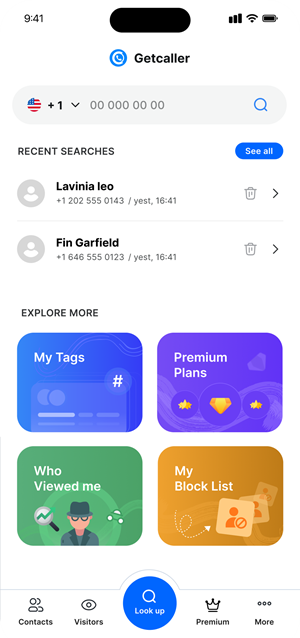
Use caller ID for incoming calls or reverse lookup for missed calls.
Look for caller information and suspicious signs while remembering results can vary.
Verify legitimate callers through known channels and avoid sharing sensitive information with suspicious callers.
Download the Getcaller app to identify unknown callers and manage unwanted calls.
May we use analytics cookies to understand how this site is used? You can refuse and keep using the site, or change your choice here later.
