Getcaller brings caller ID, phone number search, and spam-signal review tools into one app experience. Use these features to check available caller context, review suspicious-number signals, and choose the setup path that fits your device.
Looking for a caller ID app, get caller ID tools, phone number lookup, or spam protection workflows? Start with Getcaller features, then use the official setup path for your device. Caller context, lookup results, notifications, and blocking behavior can vary by available data, number type, country, permissions, carrier behavior, operating-system behavior, and device settings.
Use phone number search, review Getcaller for Android, read caller ID guides and updates, visit the official Getcaller website, or compare call identification options.
Review available caller context for unfamiliar calls where supported by data, permissions, device settings, and platform behavior.
Learn MoreReview spam or suspicious-call signals and use available blocking options where supported by your device and phone app.
Learn MoreCheck available context for unfamiliar or missed numbers before deciding whether to respond.
Learn MoreSearch supported phone numbers to review available context and spam or suspicious-call signals where data is available.
Learn MoreSearch supported phone numbers to review available context and spam or suspicious-call signals where data is available.
Learn MoreProtect yourself from phone fraud and scam callers with real-time blocking.
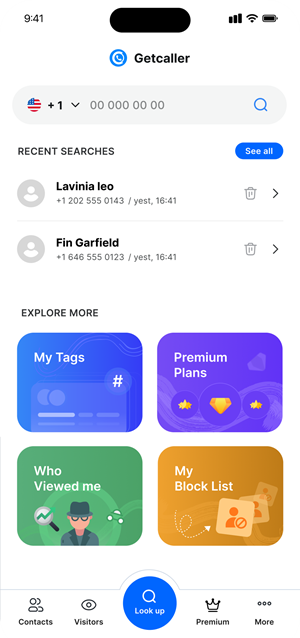
Learn MoreA clean, intuitive interface designed to give you caller information at a glance.
Download Getcaller from the App Store or Google Play. Setup takes less than a minute with your phone number.
Getcaller automatically identifies incoming calls, showing you the caller's name and spam risk in real time.
Block unwanted callers with a single tap and report spam numbers to protect the entire community.
For current privacy details, review Getcaller’s official Privacy Policy. Avoid treating caller context, lookup results, or spam signals as proof of identity or safety.
All data is encrypted with AES-256 encryption in transit and at rest.
For current privacy details, review Getcaller’s official Privacy Policy instead of relying on summary claims. Privacy Policy.
Use available caller context and spam signals as one input when deciding whether to answer or respond.
Caller context, lookup results, and blocking behavior can vary by number, country, device settings, permissions, and available data.
Use the official app-store listings for current availability and setup details. Store destinations are unchanged.
May we use analytics cookies to understand how this site is used? You can refuse and keep using the site, or change your choice here later.
