Looking for the Getcaller app on Android? Start with the official Android setup path, then use caller ID, phone number search, and spam-signal review features where supported by your device settings, permissions, country, carrier behavior, phone app, operating-system version, and available data.
Google PlayInstall Getcaller from the official Google Play link, complete onboarding, and enable required caller ID or phone permissions when requested.
Search missed calls and unfamiliar numbers to review available caller context before responding.
Use Getcaller alongside Android and OEM spam settings to make more informed call decisions.
If caller ID does not appear, review phone app, notification, battery, and permission settings.
Caller ID behavior may differ by phone maker, OS version, default phone app, and region.
Do not share codes, payment details, passwords, or personal information with suspicious callers.
Experience a clean, intuitive interface designed for quick caller identification.
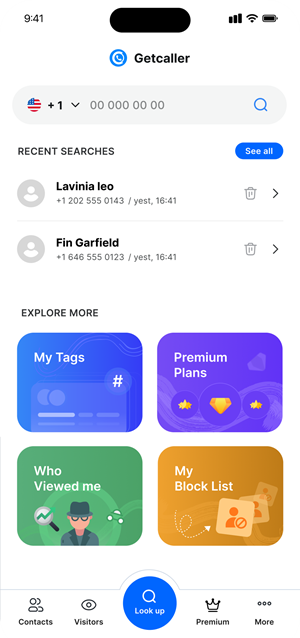
Getcaller can complement native Android protections with caller lookup and spam-awareness workflows.
Check unfamiliar numbers after missed calls before deciding whether to call back.
No app or device setting can guarantee every spam call will be blocked.
Permissions, notifications, battery optimization, or default phone app settings may affect caller ID display.
Use the official Google Play link and complete Getcaller onboarding.
Allow the permissions needed for caller ID or lookup features when requested.
Use available caller context with your Android call settings to choose a safer response.
Install Getcaller from the official Google Play listing and follow the in-app setup steps. Caller ID, lookup, notification, and blocking behavior can vary by device maker, phone app, operating-system version, permissions, country, carrier behavior, and available caller data.
phone number search · all Getcaller features · caller ID guides · Getcaller support
Get Getcaller on Google PlayGoogle Play is the source of truth for current Android availability, device requirements, privacy labels, in-app purchases, subscription details, pricing, ratings, and app version information.
